
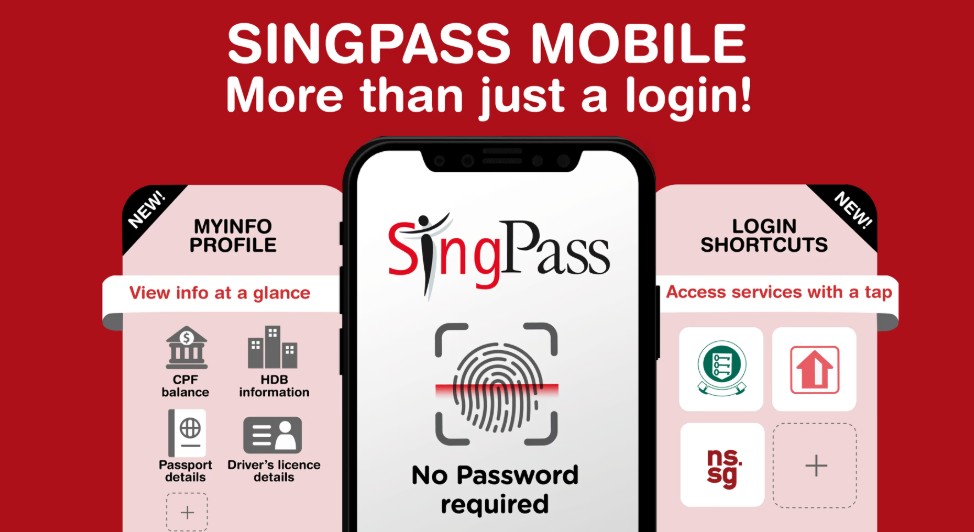
If you’ve just moved to Singapore, you’ll quickly notice that everyone talks about Singpass. It is your “Digital Identity”—a secure way to access over 2,000 services from government agencies and private businesses.
1. Who is Eligible?
- Employment Pass (EP) & S Pass Holders
- Dependant’s Pass (DP) Holders
- Student Pass Holders
- Note: You must be at least 15 years old and have a valid FIN (Foreign Identification Number).
2. How to Register: Step-by-Step
Many expats ask: “Can I register with my IPA (In-Principle Approval) letter?” The answer is usually NO. You generally need your physical card (or at least have your pass officially issued) because you need the Date of Issue found on the card to register.
Step 1: Get your Local Mobile Number
You cannot set up Singpass without a Singapore-registered mobile number (+65). This number will be linked to your 2FA (Two-Factor Authentication).
Step 2: Register Online or at a Counter
- Online (Instant): Visit the Singpass Website and select ‘Register’. You can use Face Verification (scanning your face with your phone camera) to verify your identity instantly against the government database.
- In-Person: If online registration fails, visit a Singpass Counter (located at many Community Centers/Clubs). Bring your Passport and Work Pass card.
Step 3: Download the App
Search for “Singpass” on the App Store or Google Play. Never download it from a third-party link.
3. Why You Need It (The Benefits)
- Instant Bank Opening: As we discussed in the previous post, using Myinfo via Singpass allows you to open a bank account in minutes without uploading physical documents.
- Digital IC: You don’t need to carry your physical FIN card. You can show your Digital IC within the Singpass app at government buildings or clinics.
- One-Click Login: No need to remember hundreds of passwords. Just scan a QR code with the Singpass app to log in to IRAS (Tax), CPF, or HDB.
- Signing Documents: You can legally sign digital documents (like some tenancy agreements or insurance forms) using the “Sign with Singpass” feature.
4. HomeInSG’s Critical Safety Tips
- Protect Your Credentials: Government officials will NEVER ask for your Singpass password or SMS OTP over the phone or via WhatsApp.
- Check the URL: Only log in when the web domain is singpass.gov.sg.
- Update Your Info: If you change your phone number or move to a new house (address), update your details in Singpass immediately so you don’t miss important government notifications.
Singpass makes opening a bank account 10x faster. Read my [Banking Guide] to see which banks offer the best perks for Singpass users.









One Comment